Free
to try it
Blocks3 a month
People1
ExtrasNo card needed
Start freePaste a link to the product page, or drop in a photo or a screenshot from the maker's website. CAD Blocks draws the plan, front and side elevations at the exact width, depth and height you give it, and hands you a DXF for AutoCAD, Revit, SketchUp, Vectorworks or Chief Architect.
Built with a working interior designer. No card needed, and a block takes about a minute and a half to draw.
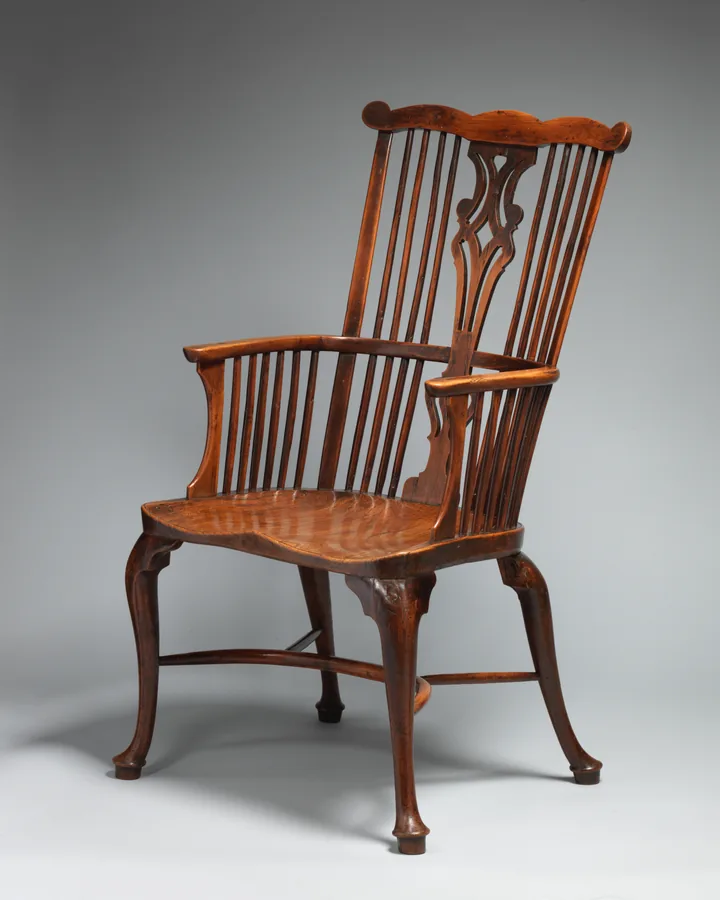
Paste a link to the product page and it brings in the photos, name and maker, and the size when the shop lists it. Or drop in a photo, a screenshot or a PDF spec sheet: up to four images of the same item.
Type the width, depth and height from the spec sheet. Every view is fitted to those three sizes, so the plan and both elevations agree. If you only know one, the rest follows the photo. Or let it estimate the size and scale it later.
The plan, front and side arrive as three named blocks. Insert them into your drawing, or resize them here for free if the size changes.
One DXF holds three blocks, drawn true size in millimetres or inches. It opens in AutoCAD, Revit, SketchUp Pro, Vectorworks and Chief Architect, so it fits whichever program your studio uses.
| Block | View | Insertion point |
|---|---|---|
| SOFA_3SEAT_PLAN | Plan | Back-left corner |
| SOFA_3SEAT_FRONT | Front elevation | Bottom-left, at floor level |
| SOFA_3SEAT_SIDE | Side elevation | Bottom-left, at floor level |
Prices in US dollars ($), for where you are.
to try it
Blocks3 a month
People1
ExtrasNo card needed
Start freea block
BlocksBuy 5 to 100 at a time
People1
ExtrasBlocks never expire
Buy blocksa month
Blocks40 a month
People1
ExtrasWorks out at a block
Choose Proa month Founding offer: a month for your first 12 months if you join by 31 December 2026
Blocks150 a month, shared
PeopleUp to 5
ExtrasShared team library and batch upload of many photos at once
Choose StudioFor more than 5 people, or more than 150 blocks a month. We set the people, blocks and price to fit your practice, and you can pay by invoice.
Email usEvery plan gives you a DXF with plan, front and side, free resizing, and a second pass that checks the drawing against your photo. A drawing that fails doesn't use a block.
Monthly blocks reset each billing month and don't roll over. Cancel any time from your account; your plan runs to the end of the month you've paid for.
The overall size is exact when you enter it, because every view is fitted to your width, depth and height. The proportions inside, such as arm height or leg spacing, follow the photo. Views the photo doesn't show are inferred, so check the block against the maker's spec sheet before issuing drawings.
Each item you draw uses one block, and you get its plan, front and side in one file. Resizing a finished block is free. Drawing the same item again, for example with a different photo or new notes, uses another block.
Not yet. DXF opens in every major CAD program, including AutoCAD, Revit, SketchUp Pro, Vectorworks and Chief Architect, and you can save it as DWG from there. Direct DWG export is planned.
Download the DXF for SketchUp. It's the same block, with a surface in every closed area so you can paint it. You need SketchUp Pro on the desktop: the free web version can't import DXF.
If one click fills only a triangle, Merge coplanar faces was off. Import the file again with it ticked. The SketchUp guide has more help.
A straight-on product photo on a plain background gives the most accurate drawing, and a screenshot from the maker's website works well. Add a second photo from the side, or a PDF spec sheet, and the side elevation improves. Busy room shots work if you say which item to draw in the notes.
They're used only to draw your blocks. Each photo is sent to Anthropic's Claude API, which does the drawing and doesn't use it to train models. Your photos and blocks stay in your library until you delete them. The privacy notice has the details.
Yes, any time, from your account page. Your plan keeps working until the end of the month you've paid for, then you move to the free plan. Pay-as-you-go blocks you've bought stay in your account.
On Studio, up to five people share 150 blocks a month and one library, so everyone can find and reuse what's been drawn. Studio also lets you upload a batch of photos at once, which helps when you're working through a whole FF&E schedule. For a bigger team, ask us about a Practice plan at hello@cadblocks.app.
Yes, for blocks you haven't used. Ask within 14 days and we'll refund unused pay-as-you-go blocks, or a first month on a plan where no blocks were drawn. Email hello@cadblocks.app. The terms explain how this works with your right to cancel.
Sign in with your email address, add a photo and download the DXF. No card needed.
Try 3 free blocksLooking for a ready-made block? Browse the free furniture block library.