Free furniture CAD blocks for SketchUp
SketchUp Pro imports DXF files and turns each block into a component. The free web version of SketchUp can't import DXF, so you'll need the desktop app.
Bringing a block into SketchUp
Import the file
Choose File, then Import, and set the file type to AutoCAD Files (DWG, DXF).
Set the units
Click Options and set the units to millimetres, so the block comes in at its true size.
Stand the elevations up
Each view arrives flat on the ground as its own component. Rotate the front and side by 90 degrees to stand them on vertical planes.
| Photo | Block | Size | File |
|---|---|---|---|
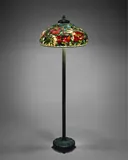 | Tiffany-style peony floor lampFLOOR_LAMP_TIFFANY_PEONY | W 560 × D 560 × H 1700 mm | DXF |
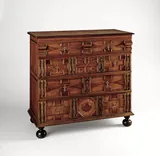 | Panelled chest of drawers on ball feetCHEST_4DRW_BALLFOOT | W 1070 × D 560 × H 1000 mm | DXF |
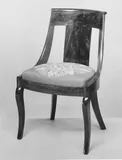 | Empire-style gondola side chairCHAIR_GONDOLA_EMPIRE | W 480 × D 520 × H 820 mm | DXF |
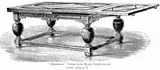 | Draw-leaf table with bulbous legsTABLE_DRAWLEAF_JACOBEAN | W 1830 × D 840 × H 785 mm | DXF |
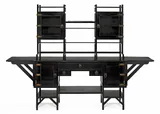 | Anglo-Japanese sideboardSIDEBOARD_ANGLO_JAPANESE | W 2167 × D 600 × H 1543 mm | DXF |
Other programs
Can't find your exact product?
Draw it from a photo. Drop in a product photo or a screenshot from the maker's website, give the size, and CAD Blocks draws its plan, front and side as a DXF. Your first three blocks each month are free.
Draw your own block